gallaz.ch/apps

Free apps, written with Claude Code

Open-source apps for Android, the desktop and the browser, developed with Claude Code and given away: no ads, no accounts, no algorithm, nothing that asks for your attention. First among them, the Reader's family: a quieter phone in black and white, text only, and one small app that installs it all. Then bells for meditation, a few small utilities, tools for Linux and two browser extensions. Everything public is here, in English and French, with its source on GitHub.

Get the installer See the apps

User manual, every function of every app: PDF · plain text, to hand to an AI assistant · en français

Getting the apps

One small app installs all the others and keeps them up to date. Every app of the Reader's family and the four that follow it are in its list.

Reader's Installer and Updater

v1.0.2GPL-3.0com.freedomfighter.readersinstaller

Open it once: every app is in the list, one tap from being installed. After that the updates arrive by themselves, the installer's own included. When an app also exists for the desktop, its page in the installer links to it. A modified version of Obtainium (GPL-3.0), not affiliated with its authors; it can follow any other app the same way.
Three steps

  1. On the phone, tap Download the installer above, then open the file. Android asks once to let the browser install apps: allow it.
  2. Open Reader's Installer. The apps are in the list: tap one, then Install. Android asks once to let the installer install apps.
  3. That is all. Updates are looked for in the background; on Android 12 and later they install silently for the apps the installer installed itself.

For 64-bit ARM, which is nearly every phone and tablet since 2017. An app installed earlier from F-Droid or an APK asks once for confirmation, then follows.

Three other ways, if you would rather not use the installer. The files are identical and carry the same signature whichever way you choose, so you can change your mind later without uninstalling anything.

F-Droid (updates arrive by themselves)

  1. Install the F-Droid client (Droid-ify or Neo Store work too).
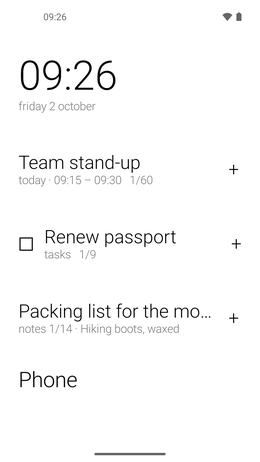
  2. Add the repository: tap the button below on the phone, or scan the code from a computer.
  3. Refresh, search for the app, install. F-Droid then keeps every app up to date.

Add to F-Droid

QR code: add the repository to F-Droid
From a computer: scan with the phone.

Address: https://funkypitt.github.io/fdroid-repo/repo
Fingerprint: 64191E58C98AD1971BCA0669B6BFAB5C7135D6411A8EAA252741C2D35F16107C

Obtainium (updates straight from GitHub)

Obtainium installs and updates apps from their GitHub releases, with no store in between. With Obtainium on the phone, tap the Obtainium button of any app below. The link opens Obtainium directly and goes through no third-party page.

The APK file (last resort: no updates)

Each app also has an APK link. Installed this way, an app never updates: you would have to come back here for every new version. Use it to try an app, or on a device where neither F-Droid nor Obtainium can run.

The Reader's family

A phone that reads like a page. Black-and-white, text-only apps: no icons, no colours, no cards, no account. The launcher shows words; the calendar, tasks, notes, books and feeds read like a newspaper; Reader's Detox keeps the social networks out. In the spirit of the Light Phone, on any Android. All of them are in the installer's list, in English, French, German, Spanish, Portuguese and Russian. Most also provide standard black-and-white widgets for any other launcher. Black and white suits an e-ink phone or tablet as well as any screen: that is where these apps began.

Reader's Launcher

v1.25.1MITcom.freedomfighter.readerslauncher

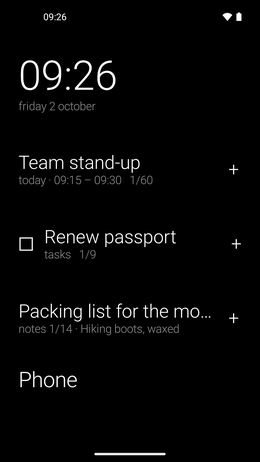
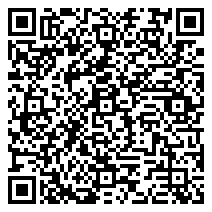
Your home screen as words: apps and categories one per line, a small grid for the apps you use most, and two-line tiles for the time, the weather, your next event, your tasks, a note, your book or the word of the day. Fixed pages, no scrolling; a swipe opens a book.

Reader's Calendar

Android v1.16.0Desktop v1.14.7MITcom.freedomfighter.readerscalendar

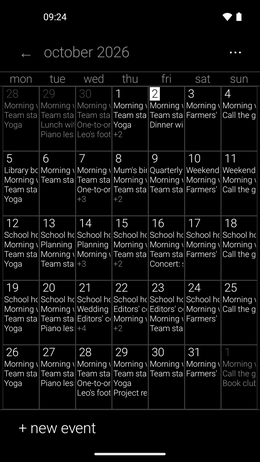
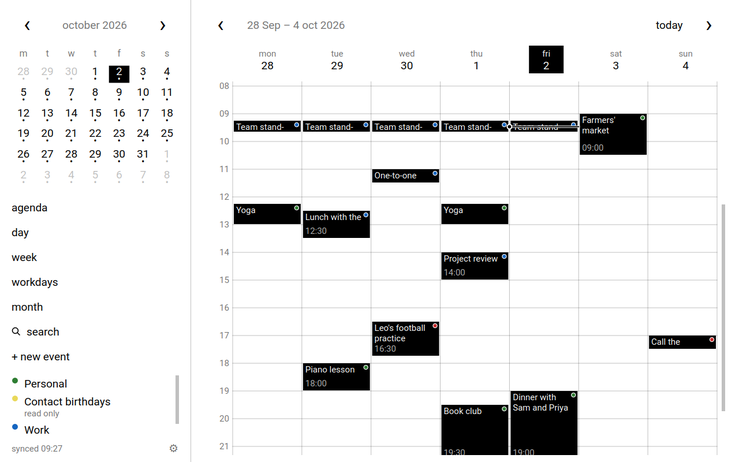
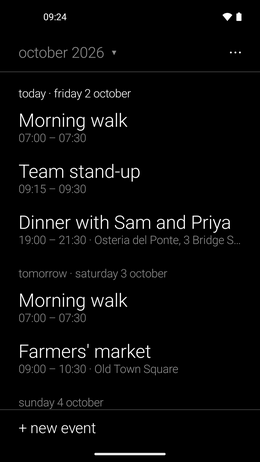
A black-and-white calendar for the calendars already on your phone. Events are solid blocks on a time grid, white is free time; an event's calendar is a word, not a colour. On the desktop — Windows, macOS, Linux — the same layout over CalDAV, or Google with your own OAuth client.

Reader's Tasks

Android v1.6.0Desktop v1.6.7MITcom.freedomfighter.readerstasks

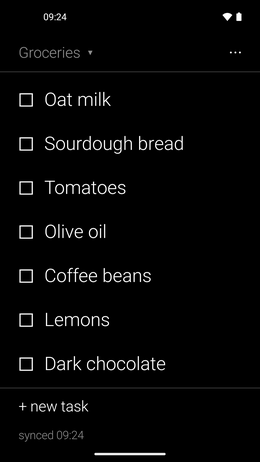
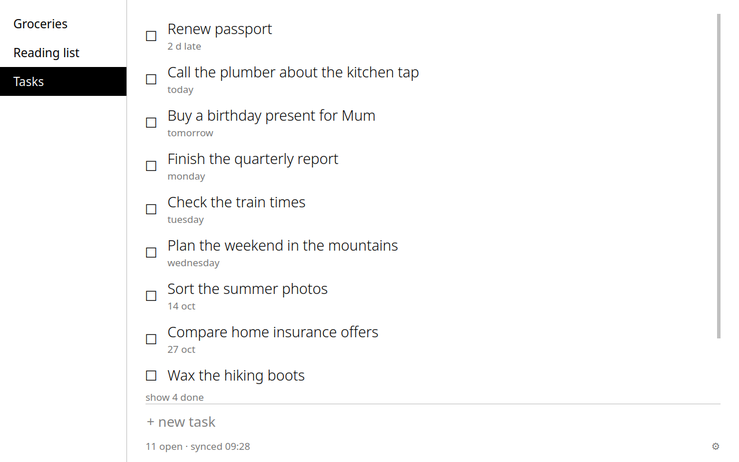
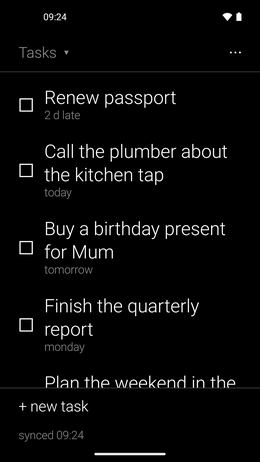
Your CalDAV task lists (Infomaniak, Tasks.org, Nextcloud, Radicale) as plain text lists; drag to reorder, and the order is saved on the server. Also on the desktop: Windows, macOS and Linux.

Reader's Notes

Android v1.9.0Desktop v1.4.1MITcom.freedomfighter.readersnotes

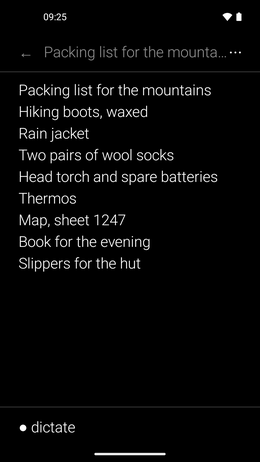
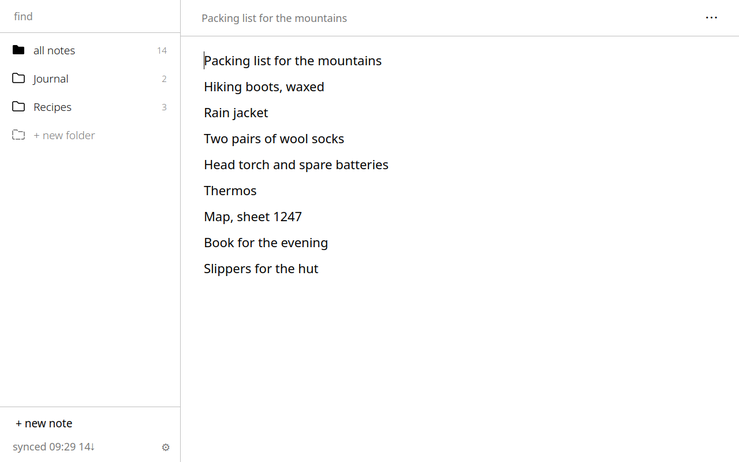
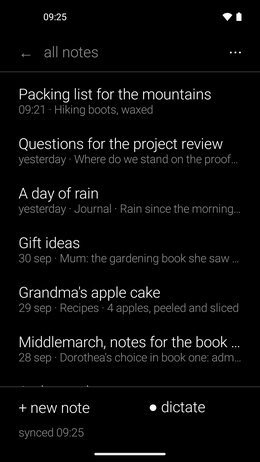
Plain-text notes, typed or dictated — speech is written on the phone, nothing is uploaded. Each note is a .txt file, optionally synced both ways with your own WebDAV folder (kDrive, Nextcloud…): your computer sees ordinary files. On the desktop — Windows, macOS, Linux — the same notes through the same folder.

Reader's Books

Android v1.14.1Desktop v1.9.0MITcom.freedomfighter.readersbooks

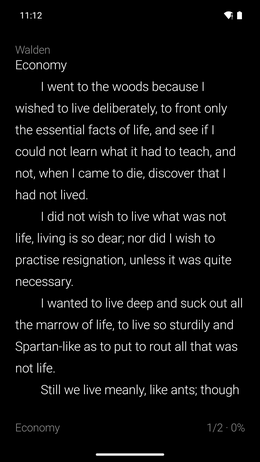
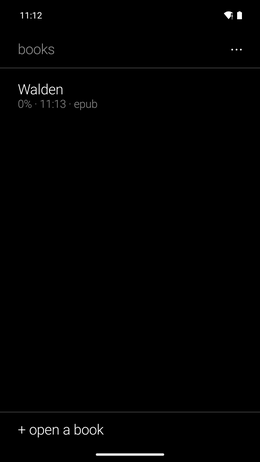
A reader for e-ink: the shelf as a list, pages that turn with a tap, no scrolling, nothing else on the screen. EPUB, MOBI, FB2 and text files, opened from the app, a file manager or a share. The same shelf and the same pages on the computer.

Reader's Bookshop

v1.3.0MITcom.freedomfighter.readersbookshop

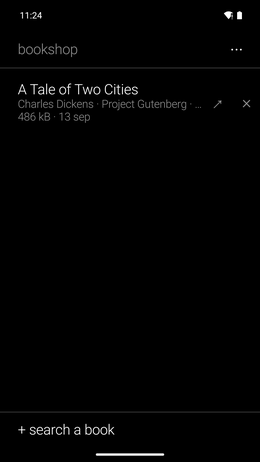
Finds free e-books and downloads them for Reader's Books or any reader. One search asks Project Gutenberg, Standard Ebooks, Wikisource, the Bibliothèque numérique romande, Ebooks libres et gratuits, textos.info and the Internet Archive. Says whether the work is in the public domain when the author's dates are known. Anna's Archive stays off unless you switch it on.

Reader's Recorder

v1.12.0MITcom.freedomfighter.readersrecorder

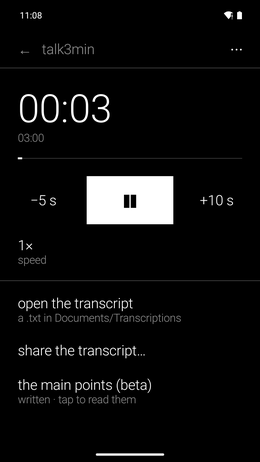
One tap records a memo, a lecture or a conversation. The phone transcribes by itself (whisper.cpp), evens out the volume of a listening copy and can write the main points (beta): nothing leaves it. Optional export to your own WebDAV folder.

Reader's Podcasts

Android v1.6.0Desktop v1.6.0MITcom.freedomfighter.readerspodcasts

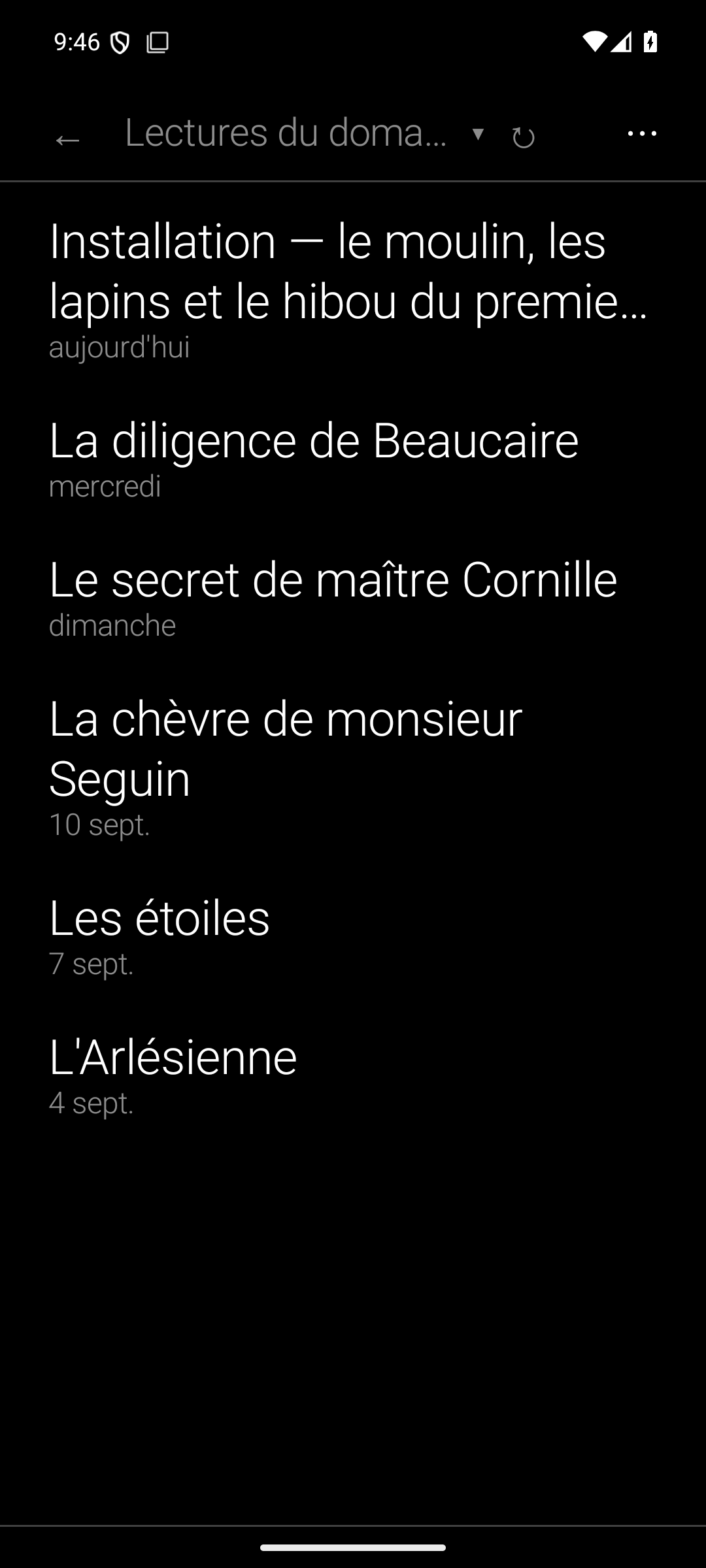
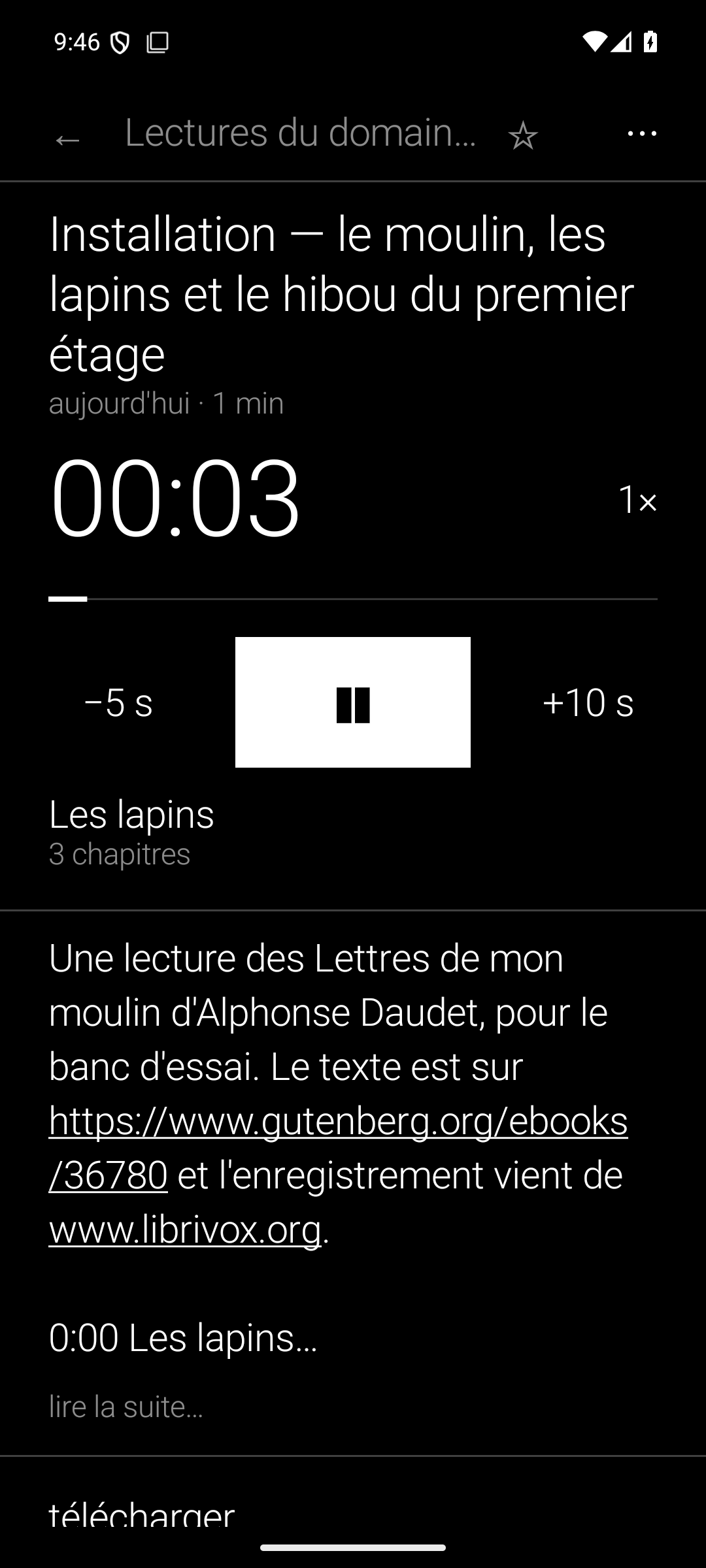
A text-only podcast player: channels, episodes, favourites, downloads — no artwork, no store, no recommendations. OPML in and out; a desktop twin reads the same lists. An episode can be transcribed and translated on the phone, and read while it plays: a tap on a line sends the sound there.

Reader's Audio Player

v1.7.0MITcom.freedomfighter.readersaudio

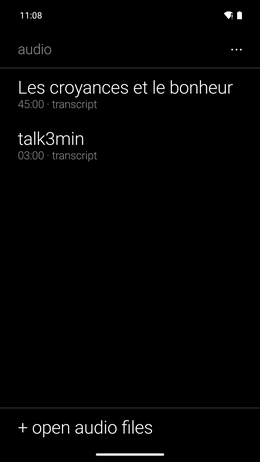
A black-and-white audio player whose one addition is transcription on the phone: language and quality chosen each time, the text saved as a .txt file any reader opens and, on request, the main points (beta) written at the top. The transcript can be translated on the phone too. Share the audio or the transcript.

Reader's Mindful Tool

v1.0.2MITcom.freedomfighter.readersmindful

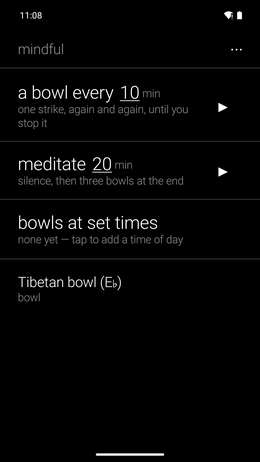
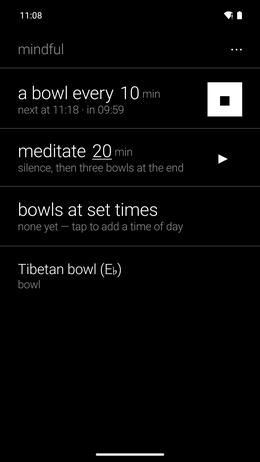
A bowl that rings when you need it: one strike every few minutes until you stop it, a sitting of a set length closed by three bowls, or one or three bowls at fixed times every day. Five bowls or your own recording. It rings on time, even from deep sleep.

Reader's Food Log

v1.3.0MITcom.freedomfighter.readersfoodlog

A food journal made of photos only. One touch — widget, quick-settings tile or the big button — takes the photo, labelled breakfast, lunch, dinner or snack from the time. One folder per day, activity in one tap, your weight with its curve. No calories, no typing, no network permission.

Reader's Scanner

Android v1.2.0Desktop v1.0.7MITcom.freedomfighter.readersscanner

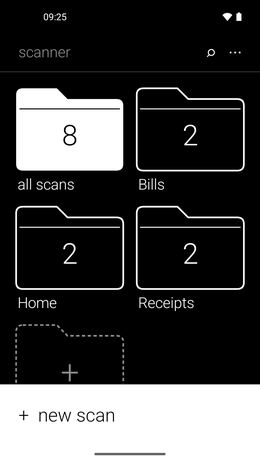
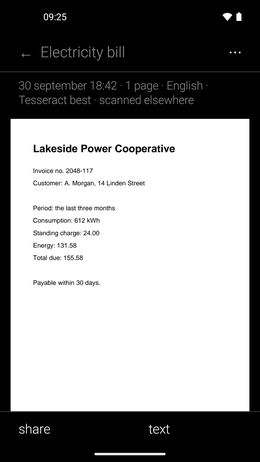
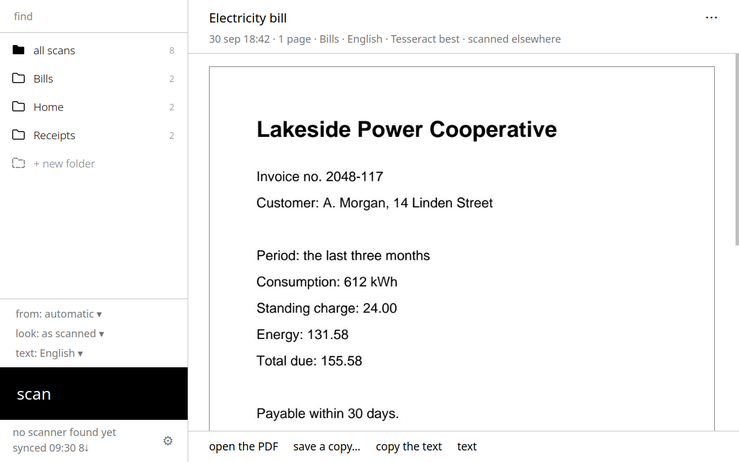
A document scanner: the page is found, straightened and cleaned, a blurred shot is flagged at once, and the text is read on the phone in seven languages. Each document becomes a searchable PDF, dated and named by you, in big plain folders, shared as PDF, pictures or text, copied to your WebDAV folder if you like. At first start you choose the engine: Google ML Kit (most reliable; closed code, needs Google Play services, sends usage statistics to Google, never your documents) or the free ones (its own page finder and Tesseract). On the desktop — Windows, macOS, Linux — one button for a real scanner: found by itself, feeder or glass, both sides, the same folders as the phone. Older scanners need NAPS2.

Reader's Feeds

v1.3.0GPL-3.0com.freedomfighter.readersfeeds

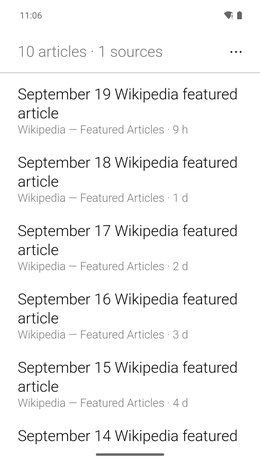
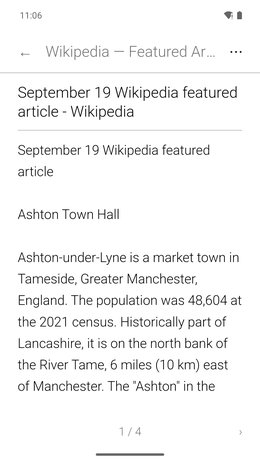
An RSS and Atom reader for e-ink: articles read as clean pages taken from the web, not scrolled. OPML import and export, paid Substacks.

Reader's Detox

v1.8.0GPL-3.0com.parentcontrol.socialblocker.detox

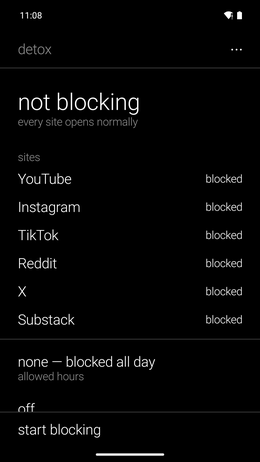
Formerly Social Detox. Blocks YouTube, Instagram, TikTok, Reddit, X and Substack with a local VPN that refuses their DNS requests: no proxy, no certificate, nothing leaves the phone. Open during the hours you allow; while it blocks, sites and hours are locked, and five maths problems can stand between you and stopping it. Or a daily budget: a number of minutes a day in the apps of the chosen sites, then blocked until midnight. Friction you choose, not parental control.

Reader's Files

v1.0.0GPL-3.0com.freedomfighter.readersfiles

A file manager that opens on a page of plain words: Downloads, Videos, Images, Audio, Documents, Apps, Archives, then the phone's storage and its root, with the space left. ZIP files are browsed in place; 7z, rar, tar and their compressed forms are unpacked beside the archive. Built-in viewers for pictures, video, audio, PDF and text. A modified version of Prism File Explorer (GPL-3.0). No network permission.

Reader's Phone

v1.3.0MITcom.freedomfighter.readersphone

A phone in large type: a call rings on the whole screen with two big buttons, missed calls stay at the top until answered, contacts read favourites then recents then everyone, a keypad with large keys. Leave the call for another app and it stays in view. It can record a call and write it out on the phone (whisper.cpp, shared model) — tell the other person.

Reader's Night Filter

Android v1.3.0Desktop v1.0.1MITcom.freedomfighter.readersnight

One switch turns the screen gray, as warm as the phone allows, and dim, then puts everything back as it was. It sits in the quick settings, in a widget and in the app. It asks for a permission given once from a computer, with one command shown in the app; no root. Android does not let an app remove blue entirely: the tint stops at the phone's warmest setting. Without the computer step it still lays a warm, dimmed veil over the apps, and explains why the one command and its grayscale matter. It can turn itself on at a time or at sunset and off in the morning.

On the desktop and in the browser, where an app can remove blue entirely: gray and amber at the brightness you choose, on GNOME, KDE Plasma, Windows, macOS (these two in preview) and in Chrome and Brave. Details under On the desktop.

Reader's Attention

Android v1.2.0MITcom.freedomfighter.readersattention

Not the screen time but the use to no purpose: the apps opened by reflex (social networks, games, short video), counted each day in words — how many openings and for how long, what came first after unlocking, the longest stretch, the evening, the quick checks under a minute. A tap moves any app between "reflex" and "tools". Off until you turn it on, and never blocking: a pause before a reflex app asks "what for?" and waits a few seconds (longer in the evening, or with the reason typed), then leaves the app alone for ten minutes; a one-line word after fifteen minutes. Android's own usage record, read with the "usage access" permission; no network permission, nothing leaves the phone. Notifications can be delivered together at three times of the day you choose, with a quick-settings tile; a breathing pause (five breaths guided by a ring) before a reflex app; the pause level can be set for one app alone.

Also in the installer

Four apps outside the Reader's family, in the installer's list too.

ePub Magazine Reader

v0.3.0GPL-3.0com.freedomfighter.magazinereader

Reads the daily newspapers and magazines that Calibre's news recipes deliver as ePub (NZZ, The Economist, Courrier International…): the contents paginated, each article a page.

Le dictionnaire Littré

v1.1.2GPL-3.0ch.littre.littre_app

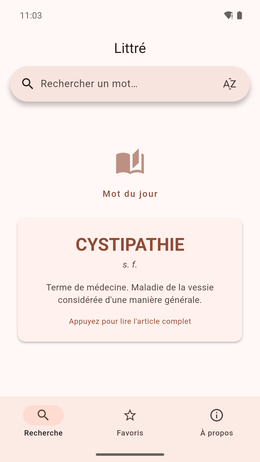
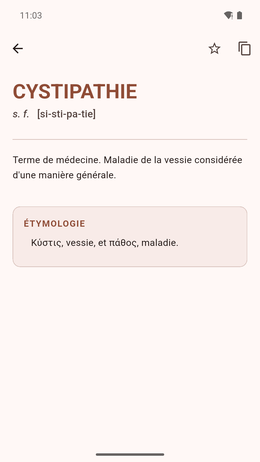
The complete Littré offline: 78,599 entries with etymology, quotations and pronunciation. A word of the day in a widget. No connection, no account.

Clavier Plume

v2.1.3FUTO Source First 1.1ch.plume.clavier

A French and English keyboard with no Internet permission, built on FUTO Keyboard. Its French dictionary understands elisions (l'ordinateur, qu'elle), inversions (a-t-il) and typography, and recognises rare words without pushing them at you. Corrections come from the dictionary alone — no language model. Offline voice dictation.

Too large for the F-Droid repository: the installer and Obtainium follow its GitHub releases instead.

Funky's 2P Games

v1.36MITcom.local2p.games

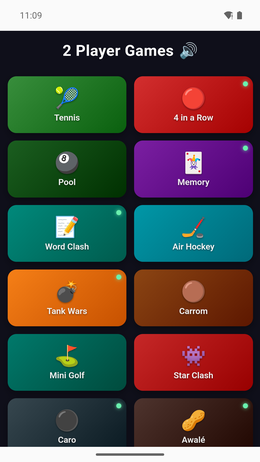
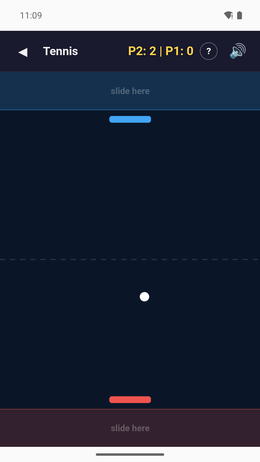
16 touch games for two on one phone, the screen split in two halves: 4 in a Row, Caro, Awalé, Memory, Duck Chess, Tank Wars, Word Clash, Reversi, Tennis, Pool, Carrom, Air Hockey, Mini Golf, Star Clash, Hangman, Horse Jump. Rules behind a ? in each game. No connection needed, no permission asked. No ads, no accounts, no purchases.

Meditation and breathing

Four Android apps that each do one thing. The three Retreat apps keep a retreat's schedule and nothing interrupts them: not deep sleep, not airplane mode, not another sound. They are not in the installer's list: get them from the F-Droid repository, Obtainium or the APK.

Retreat Timer

v1.13.1MITcom.freedomfighter.retreattimer

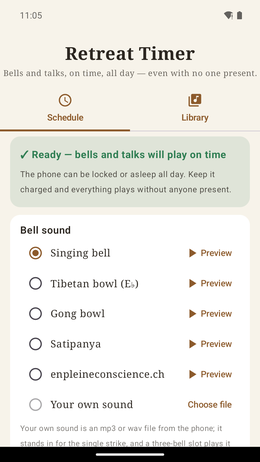
Singing bowls at the times you choose — the signal to begin or end a sitting — so a retreat keeps its schedule with nobody watching the clock. They ring no matter what, even from deep sleep. Five bowls or your own recording.

Retreat Player

v1.5.1MITcom.freedomfighter.retreatplayer

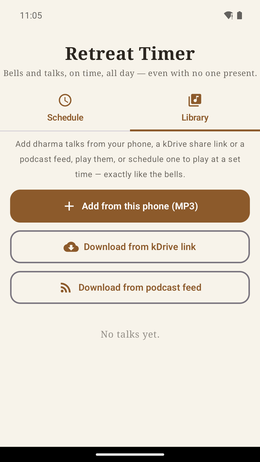
Plays dhamma talks, bells and chanting during a retreat, and nothing interrupts it once it has started — not deep sleep, not airplane mode.

Retreat Walk

v1.1.0MITcom.freedomfighter.retreatwalk

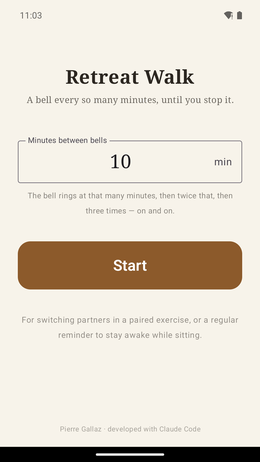
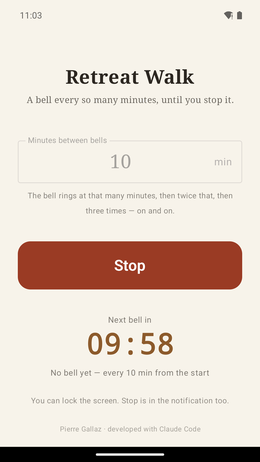
A bowl every ten minutes — or any interval — until you stop it. For switching partners in a paired exercise, or as a reminder to stay awake. One number, one button.

4 Minutes Breathing

v2.0.0GPL-3.0com.freedomfighter.boxbreathing

Pick a shape and follow the dot around it for four minutes: square (box breathing, 4-4-4-4), triangle (4-4-4), 4-7-8, petal (3-3-6) or circle (coherent breathing, 5-5). No settings, no streaks, no account, no tracking; the session ends on a complete breath. Prompts in English and French together. Formerly Box Breathing 4min.

More Android apps

Small utilities and a game, outside the installer's list: from the F-Droid repository, Obtainium or the APK.

MP4 Remixer

v1.0.0GPL-3.0com.freedomfighter.mp4remixer

Makes videos square, or brings them down to 1080p or 720p, or both. Pick them from the gallery or share them to the app; for the square, drag a frame over each video to choose what it keeps. The new files go to Movies/MP4 Remixer and the originals are left alone; a batch goes on when you leave the app. No network permission. Android 10 or newer.

MP4 to MP3

v1.0.2GPL-3.0app.mp4tomp3

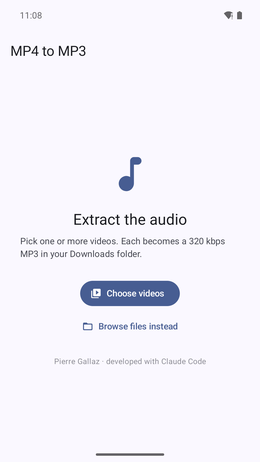
Pick videos, or share them to the app: each becomes a 320 kbps MP3 in Downloads, ready to share. One screen, whole batches, and it keeps going in the background. Every format the phone can play. No network permission.

Timer for 9Barista

v1.2.0MITcom.freedomfighter.baristatimer

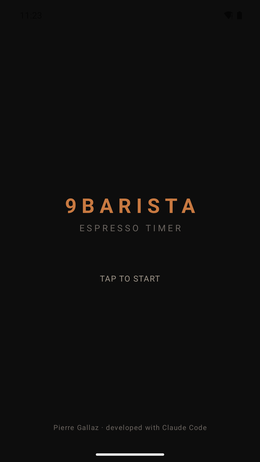
An espresso timer for the 9Barista stovetop machine, three taps per brew: when it goes on the stove, when coffee appears, when done. Heating time, then the extraction with the 25–30 s zone marked, then grind advice. Nothing is stored; the only permission is vibration.

Tank Wars Mobile

v1.1.1MITcom.freedomfighter.tankwars

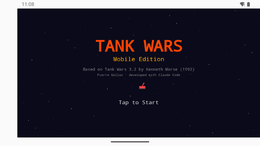
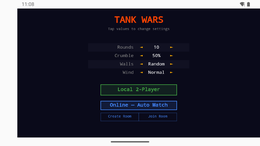
The DOS artillery game Tank Wars 3.2 (1992) by Kenneth Morse, rebuilt for the touchscreen: angle, power, wind, no trajectory preview; 16 weapons, 3 defences, destructible terrain. Two players on one phone, or online with a room code. No ads, no purchases. Also one of the 16 games of Funky's 2P Games.

On the desktop

Reader's Calendar, Tasks, Notes and Scanner also exist for Windows, macOS and Linux, Reader's Podcasts for Linux, and Reader's Night Filter for the desktop and the browser. The download button is on each app's card above; in the installer, the app's page links to its desktop version.

Reader's Night Filter for the desktop and the browser

v1.0.1MIT

Turns the screen gray and amber, with no blue light at all, at the brightness you choose, then puts everything back. One switch: in the quick settings on GNOME, the application menu on KDE Plasma 6, the notification area on Windows, the menu bar on macOS, the toolbar of Chrome and Brave; a keyboard shortcut; a schedule if you want one. Installed for one user, no administrator rights, no network access. The Windows 10/11 and macOS 13+ versions are a preview and have not yet been seen on a real screen.

Debian / Ubuntu / Pop!_OS / Mint: the apt repository

The six desktop apps are also in a small apt repository, so they update with the rest of the system.

sudo mkdir -p /etc/apt/keyrings
curl -fsSL https://funkypitt.github.io/apt-repo/funkypitt.gpg | sudo tee /etc/apt/keyrings/funkypitt.gpg >/dev/null
echo "deb [signed-by=/etc/apt/keyrings/funkypitt.gpg] https://funkypitt.github.io/apt-repo stable main" | sudo tee /etc/apt/sources.list.d/funkypitt.list
sudo apt update && sudo apt install readers-calendar readers-notes readers-tasks readers-scanner readers-podcasts readers-books

Arch Linux: each app's repository has a PKGBUILD. Details at funkypitt.github.io/apt-repo.

Windows and macOS: the first opening

Reader's Books, Reader's Calendar, Reader's Notes and Reader's Tasks also come as an .exe for Windows and a .dmg for macOS, on each app's download page: one file, nothing to install, no Python to think about. They are small free applications without a paid certificate, so the system distrusts them once — once only.

Windows: a blue "Windows protected your PC" panel appears the first time. More info › Run anyway.
macOS: open the .dmg — "apple-silicon" for an M1 Mac or later, "intel" for an older one — drag the app onto Applications, then right click on the app › Open › Open. A double click at that point only says the app cannot be opened. Afterwards it opens like any other.

Tools for the computer

Three projects for Linux, for people who open a terminal now and then.

Traduction toolkit: translating, subtitling and dubbing videos with AI

PythonLinux, NVIDIA GPU

Independent Python scripts that translate, subtitle, dub, summarise and cut clips from a video in any language: WhisperX for the words, a local language model (Ollama, the default, no API key) or Claude for the translation, Qwen3-TTS for the voices, the original voice cloned if you wish. A graphical interface, a .deb package and a browser extension drive it all without the command line. Needs an NVIDIA GPU with about 12 GB (24 GB for everything local); an AMD/ROCm fork exists for the Ryzen AI Max (Strix Halo). Documentation in French.

Quai

GPL-3.0RustCOSMIC

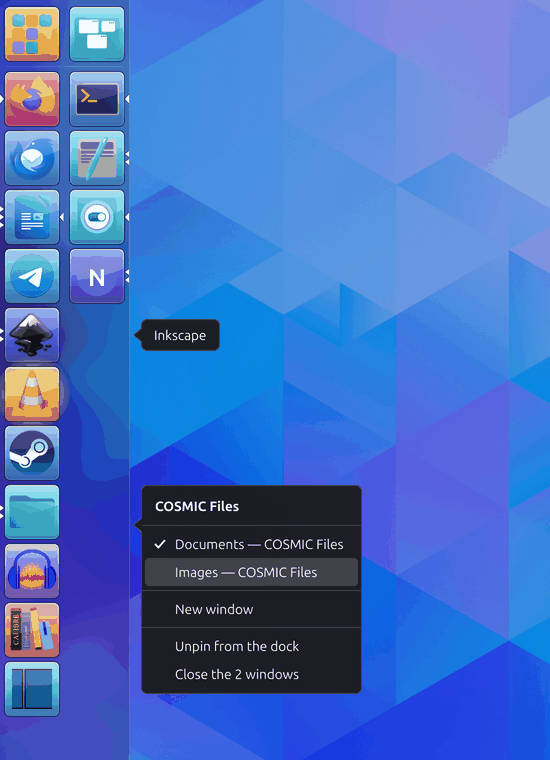
A two-column side dock for the COSMIC desktop, in the style of Ubuntu's Unity launcher: pinned apps on the left, open ones on the right, each tile lit with the colour of its icon. Click, middle click, right click and drag do what you expect; 130 px wide, the proportions of two Unity launchers.

epub2md

MITPythonpip install epub2md-ai

Converts EPUB books to clean Markdown for AI tools (NotebookLM, Claude, ChatGPT): the metadata as a header, images extracted and relinked, no line wrapping, whole folders at once, pure Python.

Browser extensions

Two extensions for Chrome and Firefox, loaded from a folder. The browser version of Reader's Night Filter comes with its desktop package.

PageTurn

v1.0.0Manifest v3 + bookmarklet

Reads web pages as a book: pages instead of scrolling, turned with no animation — what e-ink needs. Recognises articles on Substack, Medium, WordPress, Ghost, Dev.to and more, and removes ads, sidebars, pop-ups and comments.

Social Media Blocker

v1.0Chrome / Firefox (Manifest v3)

Blocks social media and video sites. To get through, solve five maths problems of rising difficulty: enough to break the reflex, not enough to lock you out. Collects nothing.

Installation

  1. Download and extract the ZIP.
  2. Chrome: chrome://extensions/ → Developer mode → Load unpacked → select folder.
  3. Firefox: about:debugging#/runtime/this-firefox → Load Temporary Add-on → pick manifest.firefox.json (Social Media Blocker) or manifest.json.

E-ink on the ThinkBook Plus (Linux)

Where it all began: two tools for the e-ink panel of the Lenovo ThinkBook Plus Gen 4.

Tinta4PlusU

ThinkBook Plus Gen 4 IRUPython

Controls the colour e-ink display of the Lenovo ThinkBook Plus Gen 4 IRU on Linux: switch between the OLED and e-ink panels, set the frontlight and brightness. GNOME, KDE Plasma, Cinnamon, XFCE, X11 and Wayland.

eInk Reader

GPL-3.0Python / PyQt5

An e-book reader for the ThinkBook's e-ink panel: pages only, and a ghost-clearing command after every turn through Tinta4PlusU. EPUB, MOBI, PDF, DJVU, FB2, CBR/CBZ, Markdown, plain text.

Installation

Ubuntu 24.04+ (or derivatives). Disable Secure Boot for embedded-controller access.

git clone https://github.com/funkypitt/Tinta4Plus-Universal.git
cd Tinta4Plus-Universal
sudo bash installer.sh

eInk Reader installs similarly — see its README.

More on GitHub

Smaller or more specialised public projects, source only.

  • readers-speech Speech on the phone for the Reader's apps: whisper.cpp and llama.cpp built once, the models downloaded once and shared between the apps. An Android library used as a submodule by Recorder, Audio Player, Podcasts and Notes.
  • We Are Stardust The Commodore 64 production as a self-contained Android app: an embedded C64 emulator (Frodo) boots the disk by itself.
  • les méditations The guided meditations of enpleineconscience.ch as a Flutter app for Android and iOS, a fork of Anytime Podcast Player.
  • Bibliothèque Sonore An app for the audio-book library of e-bibliomedia Lausanne: search, borrow, listen (React Native).
  • Satipanya Dharma Library Podcast feeds, transcripts and a searchable site for 442 dharma talks from the Satipanya Buddhist Retreat.
  • ThreadForge A local composer of X threads with AI help (Electron).